Devlin Nexley
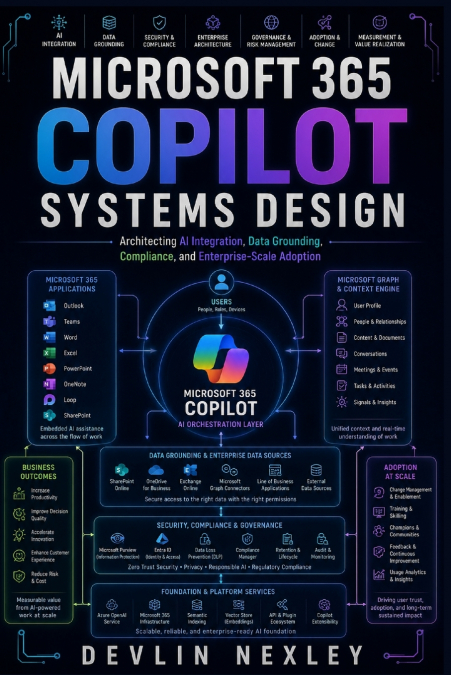
Artificial intelligence is changing the way professionals write, analyze information, communicate, collaborate, and manage everyday work. Microsoft 365 Copilot brings these capabilities directly into the applications millions of people already use every day.This practical guide shows you how to use AI effectively across Word, Excel, PowerPoint, Outlook, and Teams to reduce repetitive work, improve productivity, and create better results.Rather than focusing on AI theory, this book takes a practical approach to using Copilot in real workplace scenarios. You will learn how to structure effective prompts, work with documents and data, create presentations, manage email, extract useful information from meetings, and build more efficient workflows across the Microsoft 365 environment.Inside this guide, you will learn how to:• Create, rewrite, summarize, and refine professional documents with AI• Analyze business information and datasets in Excel• Generate and improve presentations in PowerPoint• Draft, summarize, organize, and respond to email more efficiently• Extract meeting insights, decisions, and action items in Teams• Design better prompts for more useful and consistent Copilot responses• Apply Copilot to everyday business, administrative, communication, and project workflows• Combine Copilot capabilities across Microsoft 365 applications• Recognize AI-generated errors, limitations, and situations that require human review• Use AI more responsibly when working with business information and organizational dataWho This Book Is ForThis book is designed for professionals, business users, managers, administrators, entrepreneurs, consultants, project teams, and anyone who regularly works with Microsoft 365 applications.It is particularly useful for:• Professionals who want to improve their everyday productivity• Microsoft 365 users looking to make better use of Copilot• Business owners seeking practical ways to reduce repetitive work• Managers who create reports, presentations, communications, and meeting documentation• Teams looking to improve collaboration and information management• Office users who want practical AI workflows without having to become AI specialistsYou do not need to be a programmer or AI engineer to benefit from this guide.Why Read This Book?Knowing that Copilot exists is not the same as knowing how to use it effectively.The real value comes from understanding how to formulate useful instructions, provide appropriate context, evaluate generated content, refine results, and incorporate AI into existing workflows without losing human oversight.This guide focuses on those practical skills. Instead of simply describing individual features, it connects Copilot capabilities to the types of tasks professionals perform every day.Whether you are creating a document, analyzing information, preparing a presentation, managing your inbox, or participating in a team meeting, you will gain practical techniques for making AI a more useful part of your Microsoft 365 workflow.By the end of the book, you will have a practical foundation for using Microsoft 365 Copilot more confidently, efficiently, and responsibly across your daily work.